


Hard crashing PC locks up
|
Hello, is it me you're looking for?
I can see it in your eyes I can see it in your smile You're all I've ever wanted And my arms are open wide 'Cause you know just what to say And you know just what to do And I want to tell you so much I wanted to love you but you are LITERALLY UNPLAYABLE. Last edited by Wellgosh#3093 on Jan 28, 2025, 1:19:14 PM
|

|
|
I just got the following Windows 11 24H2 updates.
2025-01 Cumulative Update Preview for Windows 11 Version 24H2 for x64-based Systems (KB5050094) Successfully installed on 1/28/2025 2025-01 Cumulative Update Preview for .NET Framework 3.5 and 4.8.1 for Windows 11, version 24H2 for x64 (KB5050577) Successfully installed on 1/28/2025 I don't know if any of these updates will fix the current freezing issues, though. I am definitely not launching PoE 2. |

|
" Hey GGG...say something I'm giving up on you :( |

|
|
Radio silence?
|

|
|
New player here. Brand new to PoE as a whole. Loving the game but the crashes every hour (sometimes) less is just too much for me. Decided to sign in and share that this is STILL a problem. A problem i didnt even know existed until i finally decided to google my issues.
|
|
" Welcome brother. Yes many of us with brand new specs have this issue. I can run the game great at 150 fps on breaches with sparks flying every which way but the loading screens will freeze my new PC unless I run POE uncrasher in the background |
|
|
Crickets...
What you think they're gonna fix first: PC bricking bug or finally fixing that NPC playing her flute properly in Act 1? |
|
|
I was totally unaware of this issue on my old Win10 system, had a real fright trying to get past the character select screen just now... Really don't feel like jumping through hoops and/or torturing a brand new setup.
|
|
|
I run Windows 11 Pro, Update 24H2, on a Ryzen 5 5600X with a 3080 Ti and 32 GB RAM. When loading areas, the game would occasionally freeze, hardlocking my system and requiring a reboot. I have over 80 hours played, so I clearly can play the game, but this was very annoying.
A workaround that made this less annoying for me was switching to Vulkan as my renderer (in hindsight, I'm not sure this helped at all) and then, after starting the game, changing its processor affinity by removing two CPUs from the game process. You do that by calling up the Task Manager (Ctrl+ALt+Del), going to "Details", searching for the Path of Exile process and right clicking on it. 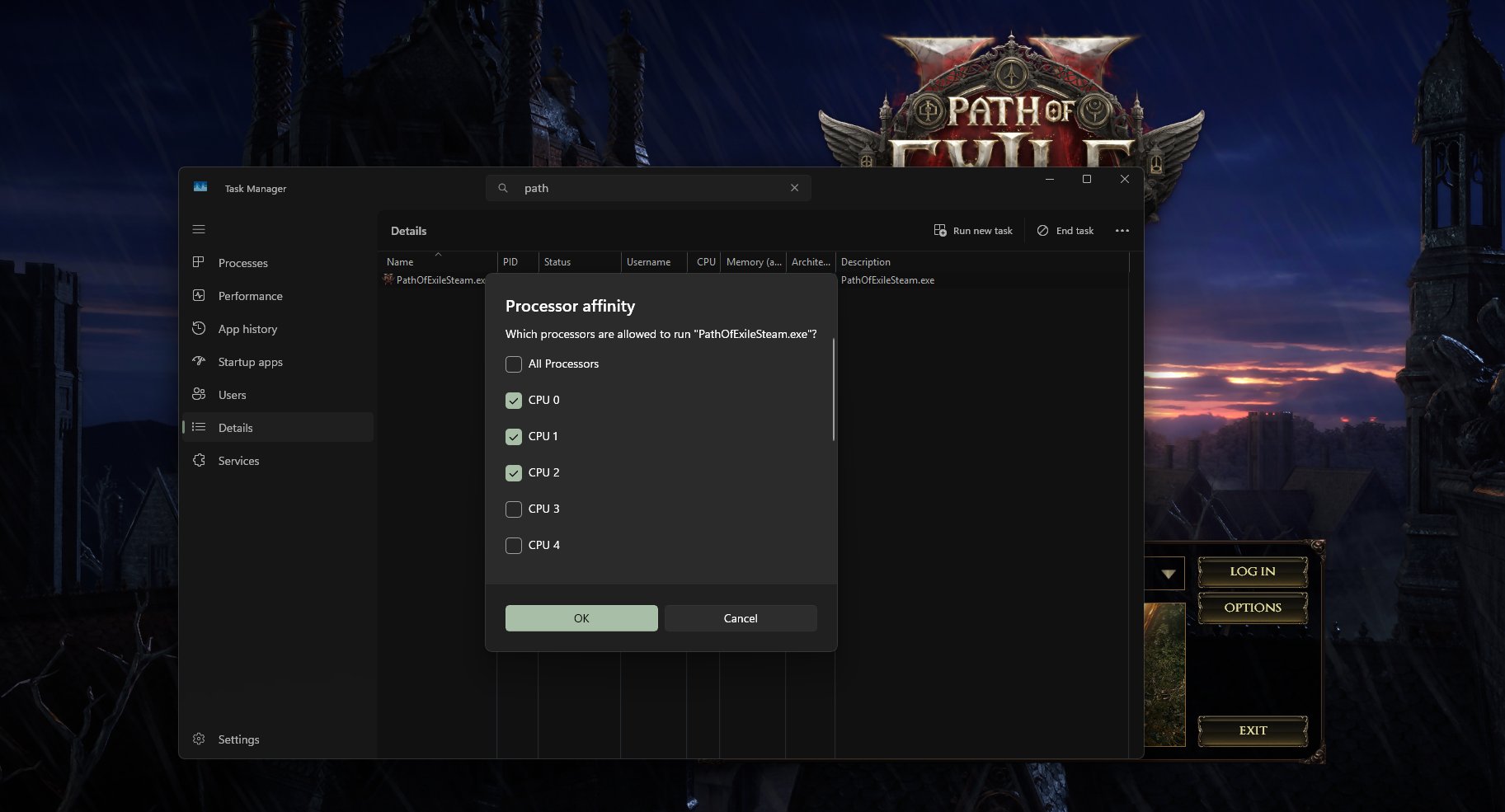 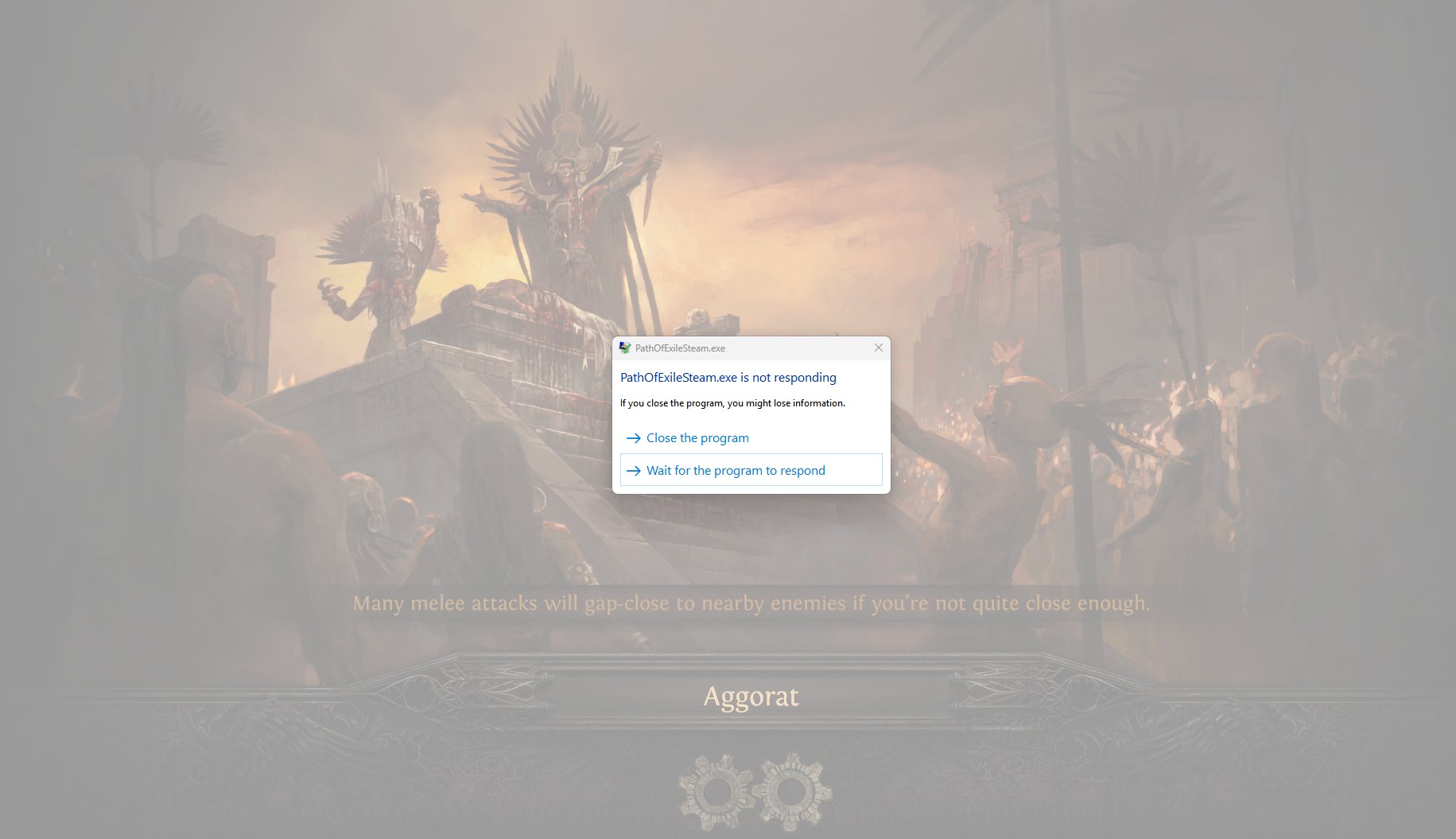 Makes no difference in performance from what I can tell and now only the game crashes. After a few seconds, Windows terminates the process, I get a desktop and can launch it again. Not a fix, but beats having to reboot a hard lock every time. Sure, I do want GGG to fix this issue. It's bloody annoying. But looking at it from another point of view, we basically had to tinker with every single game like this to get it to run back in the 286 & DOS days. It's a bit of a nostalgic feeling for me. Ah, the good old times! :D |

|
" |
|




